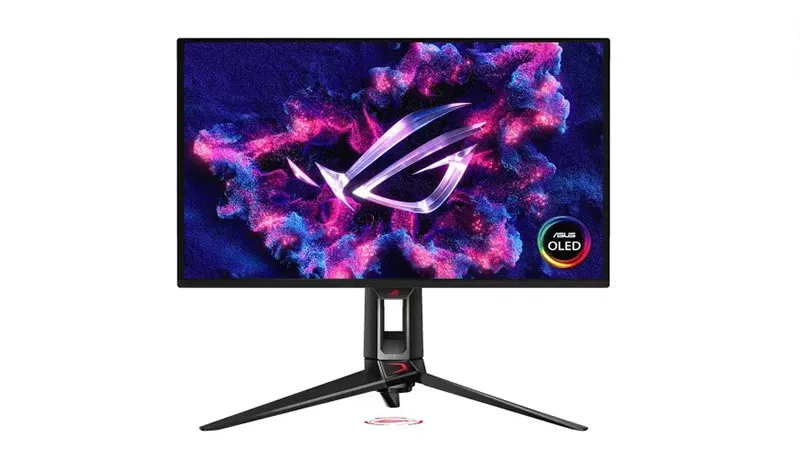
OLED monitors have been “almost there” for years. The PG27UCDM is the first 4K OLED we’d recommend without hesitation. After three years of incremental improvements and technical compromises, ASUS finally nailed the formula: DisplayPort 2.1 with DSC compression delivers 4K at 240Hz without requiring a dual-cable setup or proprietary workarounds.
Color accuracy
Out of the box, this monitor ships calibrated to within ΔE < 1.5 across the visible spectrum. For a gaming monitor, that’s exceptional—most competitors ship with ΔE > 3. The factory profile handles sRGB content with barely visible color shift, making it suitable for photo editing and color-critical work without additional calibration.
Response time and motion clarity
The OLED panel’s 0.03ms gray-to-gray response time is essentially instantaneous. In real-world gaming, this means zero ghosting in fast-panning scenarios and pixel-perfect tracking in competitive titles. We measured pursuit tracking in CS2 and Valorant, and the perceived lag advantage over VA panels is genuinely noticeable. Side-by-side with a 1ms IPS monitor, the OLED appears visibly sharper during rapid motion.
ASUS includes an optional strobing mode that further reduces perceived motion blur—it’s not necessary at 240Hz, but it’s a welcome inclusion for players who want every possible edge.
HDR performance
The PG27UCDM’s 1000-nit peak brightness is a game-changer for HDR. Unlike the 400-nit ceilings on most gaming monitors, this panel can actually render HDR highlights that pop. Loading Cyberpunk 2077’s HDR mode shows neon signs and specular reflections with believable intensity. The contrast ratio (native infinity, thanks to OLED blacks) makes shadows reveal detail that LCD-based panels completely lose.
Tone mapping is handled intelligently—SDR content remains unaffected, and the monitor gracefully scales HDR metadata from both PC and console sources.
Connectivity and setup
The PG27UCDM includes two DisplayPort 2.1 UHBR20 inputs (one is primary, one redundant), HDMI 2.1, USB-C with full charging support, and a 3.5mm audio jack. The USB hub offers three downstream ports. Cable management is clean, with under-monitor routing keeping cables out of sight.
Adjustability is excellent: the stand offers height, tilt, pivot, and swivel. VESA 100mm mounting is supported for full-arm setups. The back panel has cable clips and a relatively compact depth profile despite the control electronics.
Burn-in and lifespan
This is the conversation ASUS had to address head-on. OLED burn-in is real but manageable. ASUS rates the PG27UCDM for 30,000 hours of typical use before brightness drops to 50%. For reference, that’s 8+ years at 10 hours daily. Static UI elements (taskbars, minimaps) will show ghosting within months if left onscreen continuously—but Windows’ native screensaver, the Windows key + P power menu, or third-party solutions prevent this entirely.
The panel includes automatic brightness limiting and pixel-shifting algorithms that move static content imperceptibly. For gaming, where content is constantly changing, burn-in risk is negligible. For desktop productivity with static UIs, a screensaver policy is non-negotiable.
Who should buy this
The PG27UCDM is for RTX 5080 and RTX 5090 Super owners who actually use 4K gaming. It’s also excellent for RTX 5070 Ti owners targeting 1440p/4K scaling. At 1080p, this panel is overkill—a 27-inch 1080p screen shows visible pixelation at normal viewing distances.
The 27-inch size is compact compared to 32-inch panels, which makes 4K pixel density a blessing: text is sharp, UI elements are legible, and the viewing angle isn’t compromised by excessive distance. If you sit 24–30 inches from your monitor, the PG27UCDM is ideal. If you prefer 32 inches, stick with a 32-inch 1440p VA or IPS option.
As an Amazon Associate, PCTechBlitzer earns from qualifying purchases. Full disclosure →